Thank you for supporting our product.
You can repair small tears or punctures on either screen using the fabric patches provided in the repair kit.
Follow the steps below carefully.
1. Locate and Clean the Damaged Area
-
Find the tear or puncture.
-
Clean the surface thoroughly with a soft cloth.
-
Make sure the area is completely dry.
-
Deflate the screen fully before applying any repair material.
2. Prepare the Patch
-
Open the repair kit and remove one fabric patch.
-
Cut the patch to an appropriate size — it should extend 2–3 cm beyond the damaged area on all sides.
3. Apply the Adhesive
-
Apply a specialized inflatable repair adhesive to both the damaged surface and the back of the patch.
Note: The adhesive is not included in the kit; it must be purchased separately.
-
Wait for approximately 30 minutes (depending on adhesive type) until the surface becomes tacky.
4. Attach the Patch
-
Carefully position the patch over the damaged area.
-
Press from the center outward to smooth the surface.
-
Remove any trapped air bubbles.
-
Apply steady pressure for several minutes to ensure a strong bond.
5. Allow the Patch to Cure
-
Let the adhesive cure completely according to the manufacturer’s instructions.
-
Wait at least 24 hours before re‑inflating.
-
When testing, start with low‑pressure inflation to confirm a proper seal.
Repair Kit Contents
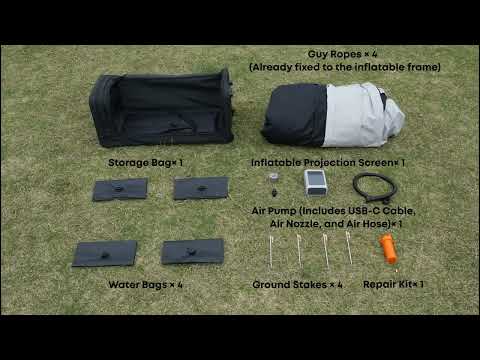
4 × Fabric patches – for multiple small repairs
If you have any other questions, please don't hesitate to contact Nebula Customer Support at service@soundcore.com for further assistance.