-
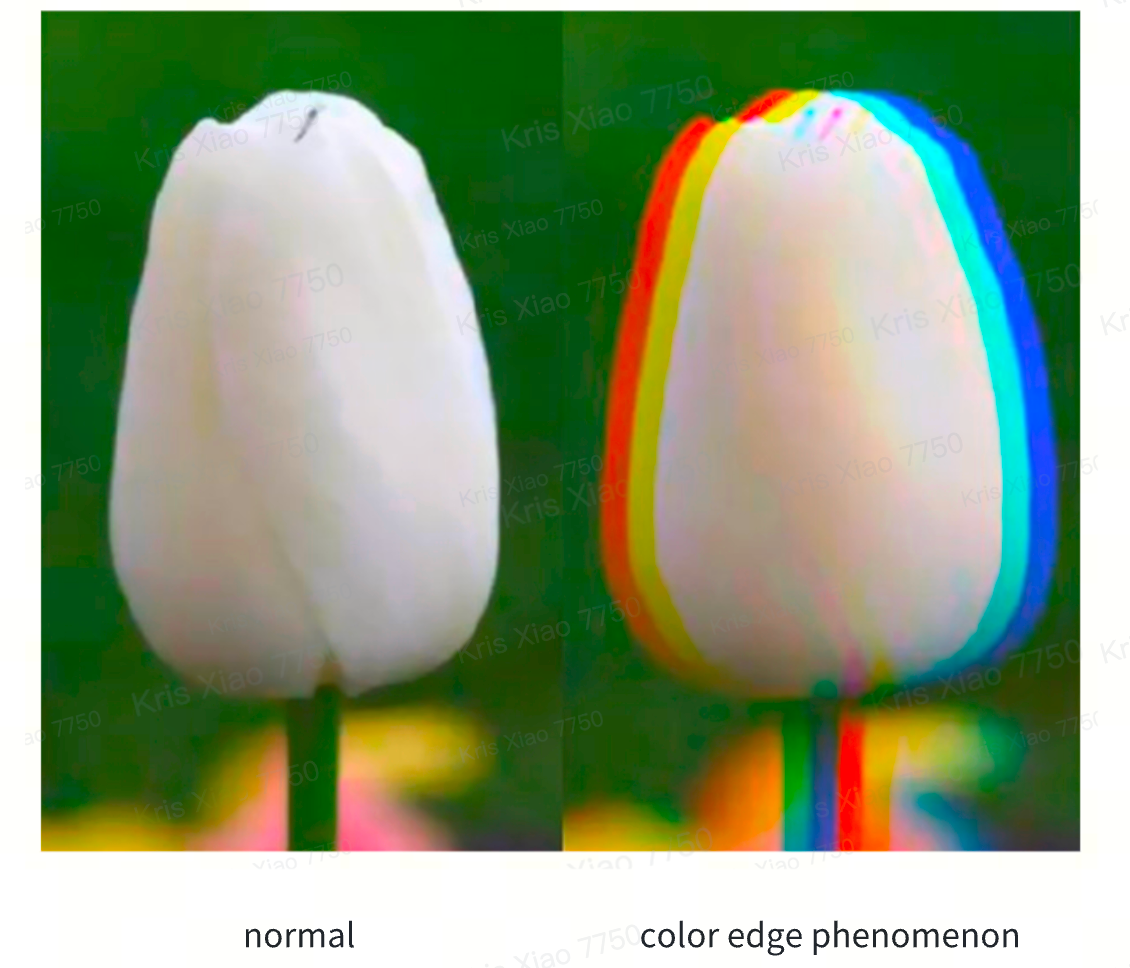
Difference between rainbow effect and color edge phenomenon
-
Analysis of the causes of the rainbow effect
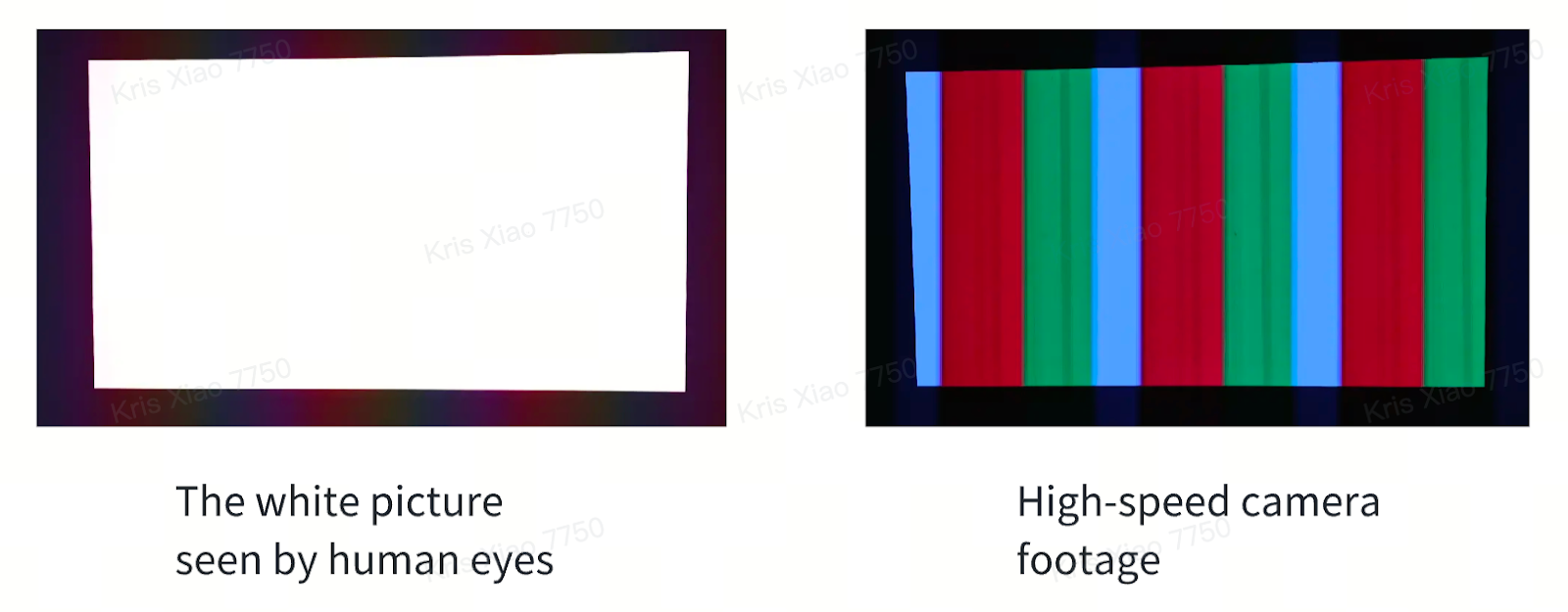
Single DLP technology is composed of three laser beams of red, green and blue. It is necessary to project the light of three colors onto the screen in turn to form a color picture. Since the three-color light is not projected completely at the same time, but displayed quickly in order, when the human eye tracks a moving object, it may perceive color stratification due to persistence of vision, resulting in rainbow-like color flashes.
-
Analysis of the causes of color edge phenomenon
Color fringing is the phenomenon that users observe the red, green and blue layers in the picture. There are two reasons for color fringing.
The first reason is the color edge caused by the projector itself. The red, green and blue light that make up the white picture bend to different degrees (different refractive indexes) when passing through the lens, resulting in their inability to perfectly coincide on the screen.
nebula X1/nebula X1 Pro uses 14 all-glass lenses. The chromatic aberration of glass lenses is naturally lower than that of plastic lenses, and the chromatic aberration of the projector itself is controlled within the range of 0.5 pixels, which is imperceptible to the human eye.
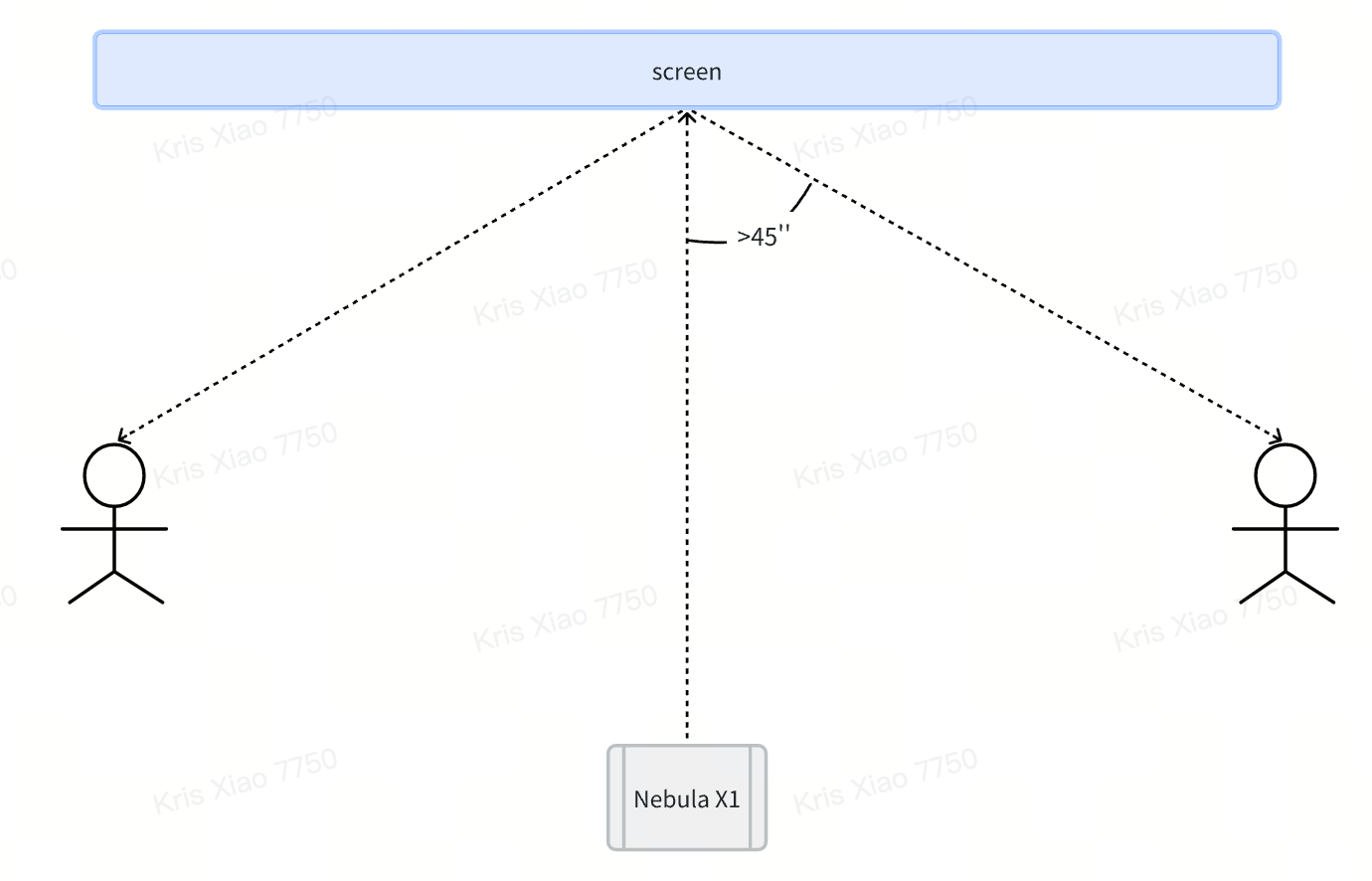
The second reason is that for users wearing glasses, even if the image projected on the screen is a perfect overlap of red, green and blue light, when the user watches the movie at a large angle, since the glasses themselves are also a lens and a lens whose chromatic aberration cannot be corrected (at least two lenses are needed to correct the chromatic aberration), and this chromatic aberration will increase with the increase of the viewing angle, so users wearing glasses watching movies at a large angle will still observe the phenomenon of red, green and blue stratification.
-
What should I do if I observe the rainbow effect when using nebula X1/nebula X1 Pro?
The early DLP projectors on the market had a color refresh rate of 60 Hz, and many people could see the rainbow effect. The color refresh rate of nebula X1/nebula X1 Pro has been increased to 240 Hz (the highest color refresh rate of three - color laser projectors on the market at this stage is 240 Hz), thus reducing or eliminating the visibility of the rainbow effect for most people. In addition, it is precisely because eye movement causes you to see different colors (rainbow effect), so when the audience usually sits far away from the screen and the viewing angle from the edge of the screen to the edge of the screen is small, the impact of the rainbow effect will also be reduced at this time.
60Hz: The screen is refreshed 60 times per second
240Hz: The screen is refreshed 240 times per second.
Even though the projector's color refresh rate has reached 240Hz, there are still individual users who are sensitive to dynamic images and can still see the rainbow effect. For those who are particularly sensitive, the rainbow effect can be very distracting and may even make the picture unwatchable. Some people can occasionally see rainbow artifacts but find them not particularly annoying and do not affect the viewing experience. This phenomenon is generally more obvious when the eye moves.
Suggestion:
It is recommended to select a picture mode that features overlapping characteristics such as NebulaMaster, Standard, Sport, or Game.
Within the selected mode, go to
Picture → Advanced Setting → Color Temperature → User
and adjust the parameters as follows:
Red Gain: 0
Green Gain: -7
Blue Gain: -20
These adjustments can help reduce the rainbow effect and improve overall visual comfort.
-
What should I do if I observe chromatic aberration when using nebula X1/nebula X1 Pro?
Since nebula X1/nebula X1 Pro uses a three - color laser light source technology, users wearing glasses may observe the above-mentioned color fringing phenomenon when watching movies at a large viewing angle.
-
If the user has no habit of wearing glasses, it is very likely that he will not see the color edge phenomenon.
-
When the user wears glasses, it is recommended that the user watch the screen as directly as possible to reduce the viewing angle offset. Try to choose small frame glasses to reduce the light refraction at the edge of the lens.
If the above solutions cannot solve your issue, please contact us for further assistance.







