What should I do before using my new X1S for the first time?

Before first use, we strongly recommend updating your X1S firmware to V14.0.71 or later. This update unlocks the full 6,000-lumen performance in Conference Mode and includes the latest system optimizations, ensuring you get the best experience right out of the box.


How to update:

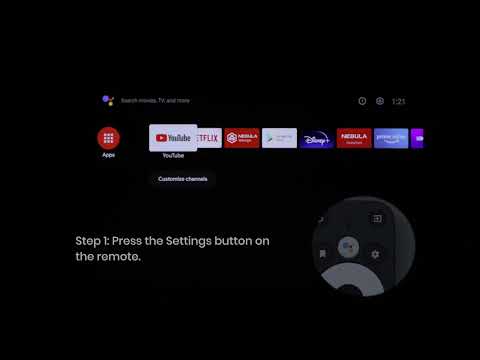
When you power on the device, if a firmware update prompt appears on screen, simply follow the on-screen instructions to complete the upgrade.

If no update prompt appears, you can manually check your current firmware version and update to the latest version:

  • Check firmware version: Go to Settings > System > About > Software Version to view your current firmware version

  • Update firmware: Go to Settings > System > About > Firmware Update to update to the latest version

Once updated to V14.0.71 or later, your X1S will deliver its full performance, including 6,000 lumens in Conference Mode.

If the above solutions cannot solve your issue, please contact Nebula Customer Support at support@seenebula.com for further assistance.

Unresolved icon
51 undefined
FAQ
How to adjust the screen size?
13 views1 likes/2026-08-26 10:19:40
Nebula Projector 3D Feature Guide
8 views1 likes/2026-08-26 10:32:22
How to use MEMC?
14 views1 likes/2026-08-26 10:29:40
Nebula Connect App Function Guide
12 views1 likes/2026-08-26 10:30:14
How to Use Bluetooth Speaker Mode?
10 views1 likes/2026-08-26 10:23:01
Download icon
D2350_Cosmos Laser 4K_Manual
Download icon
【D2350】Nebula Cosmos Laser 4K EU Declaration
Download icon
soundcore Cosmos Laser 4K User Guide (D2350)
Download icon
Nebula X1 QSG
Download icon
Nebula X1 取扱説明書 (D2351)
Download icon
【D2351】NEBULA X1 EU Declaration
View More
Play videoHow to Update Your Firmware?
How to Update Your Firmware?
Play videoHow to Screen Mirror and Cast Content from Your iPhone and Android Phone?
How to Screen Mirror and Cast Content from Your iPhone and Android Phone?
Play videoSet up Remote Buttons
Set up Remote Buttons
Play videoAuto & Manual Focus
Auto & Manual Focus
Play videoHow to Install the 4K Dongle?
How to Install the 4K Dongle?
Play videoManual Keystone Correction
Manual Keystone Correction
View More