What Should I Do if My Nebula Apollo or Capsule Max is Unable to be Fully Charged?

If your Apollo or Capsule Max is unable to be fully charged, please try these steps:

 
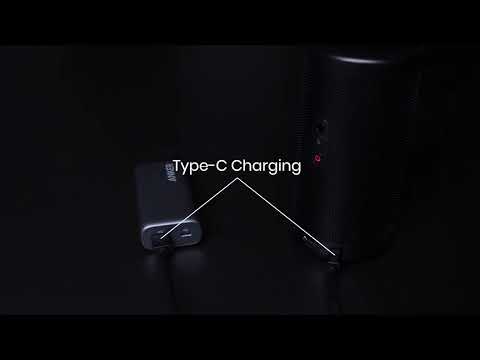
  • Completely drain its battery first
  • Try using a different working power adapter if possible
  • Select Settings > General > About > Recovery to start the recovery process and then try to recharge the projector again


If this issue persists, please contact us for further assistance. Please make sure to mention that you have tried the listed steps so that our agents do not ask you to repeat these steps.


Unresolved icon
82 undefined
FAQ
General Knowledge
How to Find an App in Nebula Manager/Store
7518 views1 likes/2025-04-08 17:27:06
How to Update the Firmware on Android Projector?
8752 views1 likes/2025-04-07 17:40:31
How to Install and Use Disney+ on Android Projectors
3896 views1 likes/2025-04-08 17:27:06
How to Mirror Your Windows 10 PC to an Android Projector?
5420 views1 likes/2025-04-07 16:04:56
How to Fix HDMI No Signal or Unstable Signal Issue
6189 views2 likes/2025-04-08 17:27:07
Download icon
D2426_Capsule 3 Laser_Manual
Download icon
D2426_Capsule_III_UK_Declaration_of_Conformity
Download icon
D2421_Capsule_II_EU_Declaration_of_Conformity_1
Download icon
D2421_Capsule_II_EU_Declaration_of_Conformity_2
Download icon
D2421_Capsule_II_UK_Declaration_of_Conformity
Download icon
D2421_Capsule II_Manual
View More
Play videoHow to use Chromecast Airplay
How to use Chromecast Airplay
Play videoSignal Input Output
Signal Input Output
Play videoAuto and Manual keystone correction
Auto and Manual keystone correction
Play videoAuto and Manual focus
Auto and Manual focus
Play videoHow to Set Up an Android TV Projector
How to Set Up an Android TV Projector
Play videoHow to Cast Content from my iOS Phone on Android TV Projectors
How to Cast Content from my iOS Phone on Android TV Projectors
View More