Mode Overview
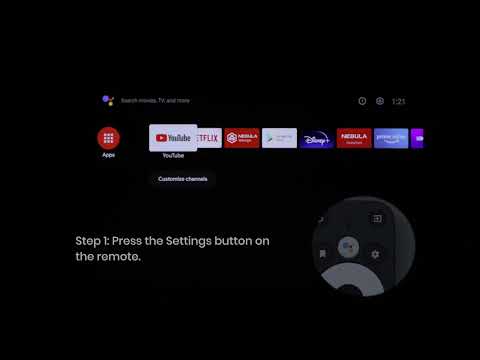
🔧 How to switch modes: Go to Settings > Display & Sound > Picture > Picture Mode, select "Nebula Master Mode" or "Conference Mode".
Q1: The product is rated at 6,000 lumens, why don't I usually use this brightness?
6,000 lumens is the maximum brightness of Conference Mode, optimized for bright environments such as conference presentations. For daily viewing, we recommend "Nebula Master Mode" (2,800-3,000 lumens), which offers accurate colors and extremely low noise, making it the best choice for most home scenarios—3,000 lumens is already bright enough in dark environments, and the color and quiet experience far exceed extreme brightness.
Q2: Why does Conference Mode have a green tint and louder noise?
This is a technical characteristic of projectors achieving extreme brightness: In Conference Mode, the system increases laser power and optimizes the light path to output maximum brightness (6,000 lumens), which causes color shift (green tint) and requires high-speed fan cooling, resulting in increased noise (~43dB). This is a common characteristic of high-brightness modes in the industry and is not a product defect. For daily viewing, please switch back to "Nebula Master Mode" to enjoy accurate colors + 28dB quiet operation.
Q3: What does 28dB noise level mean? Why does the fan sound sometimes get louder?
28dB belongs to the "very quiet" level, quieter than a library environment (~30dB), and is almost imperceptible during viewing. When switching to Conference Mode, the laser power increases to generate more heat, and the fan runs at high speed for cooling, increasing noise to ~43dB (equivalent to the sound of a normal air conditioner), which is normal operation for this mode. Switch back to Nebula Master Mode to restore 28dB quiet operation.
Q4: Which mode should I use? Can I use Conference Mode all the time?
Choose based on ambient light:
Conference Mode can technically be used all the time, but it's not recommended for daily use—Nebula Master Mode is superior in color, quiet operation, and optical engine lifespan. Conference Mode is recommended only for temporary use in bright environments such as conference presentations.
Q5: How does the brightness perform in real-world use? Will firmware updates improve brightness and noise?
The extreme brightness parameters of high-brightness projectors in the industry are all values under high-brightness mode. The actual usable and color-accurate brightness is generally in the 2,800-3,000 lumens range. X1S Conference Mode achieves 6,000 lumens, and Nebula Master Mode's 2,800-3,000 lumens with accurate colors performs excellently for daily viewing. We will continue to optimize image quality algorithms and cooling strategies through firmware updates (the new version has optimized dynamic iris response and scene adaptation). Please keep your system updated to the latest version for the best experience.
If you have any other questions about brightness or noise, please don't hesitate to contact our customer support team for further assistance.