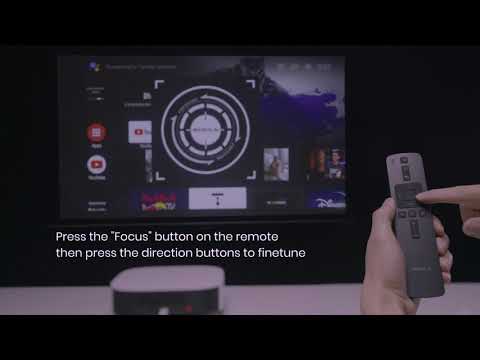
The distance at which you place the projector from the screen determines the approximate size of the image. The image size increases the farther the projector is from the screen, but can vary depending on the zoom factor, throw ratio, and other settings.
Nebula projectors have different aspect ratios. Refer to the chart for more information:
Product Name
Throw Ratio
Screen Size
Distance Between Projector Lens and Screen
Capsule 3 Laser
1.2
40-120 in
40 in @1.06 m / 3.37 ft - 120 in @3.18 m / 10.43 ft
Cosmos Laser 4K
1.27
60-150 in
60 in @1.69 m / 5.54 ft - 150 in @4.22 / 13.85 ft
Cosmos Laser 1080p
1.27
60-150 in
60 in @1.69 m / 5.54 ft - 150 in @4.22 / 13.85 ft
Cosmos Max
1.2
60-150 in
60 in @1.59 m / 5.22 ft - 120 in @3.18 m / 12.95 ft
Cosmos
1.2
60-120 in
60 in @1.59 m / 5.22 ft - 120 in @3.18 m / 12.95 ft
Solar
1.2
40-120 in
40 in @1.05 m / 3.44 ft - 120 in @3.18 m / 10.43 ft
Solar Portable
1.2
40-120 in
40 in @1.05 m / 3.44 ft - 120 in @3.18 m / 10.43 ft
Vega Portable
1.2
40-120 in
40 in @1.05 m / 3.44 ft - 120 in @3.18 m / 10.43 ft
Mars II Pro
1.2
40-120 in
40 in @1.05 m / 3.44 ft - 120 in @3.18 m / 10.43 ft
Mars II
1.2
40-120 in
40 in @1.05 m / 3.44 ft - 120 in @3.18 m / 10.43 ft
Capsule II
1.3
40-100 in
40 in @1.14 m / 3.74 ft - 100 in @2.87 m / 9.41 ft
Apollo
1.3
40-100 in
40 in @1.14 m / 3.74 ft - 100 in @2.87 m / 9.41 ft
Capsule Max
1.3
40-100 in
40 in @1.14 m / 3.74 ft - 100 in @2.87 m / 9.41 ft
Capsule
1.3
40-100 in
40 in @1.14 m / 3.74 ft - 100 in @2.87 m / 9.41 ft
Astro
1.3
40-100 in
40 in @1.14 m / 3.74 ft - 100 in @2.87 m / 9.41 ft
If you have additional questions, please contact us for further assistance.