Thank you for supporting our product.
Overview
Nebula X1 Pro's Android 14 release features comprehensive enhancements in system performance, image quality, and audio experience. It delivers smarter image processing, smoother operation, improved stability, and new customization and audio control features to enhance the overall user experience.
Firmware Update Paths
1️.Projector Main Firmware Update
Target Version: To Be Determined.
Path: Settings → System → About → System Update
Estimated Upgrade Time: ~30 minutes (upgrade from Android 11 to Android 14)
Minimum Storage Required: 1 GB free space
2️.Surround Speaker Update
Target Version: V1.1.300
Path: Settings → Remotes & Accessories → [Select any Surround Speaker] → Accessory Update
3️.Microphone Firmware
Target Version: V1.0.69
Path: Settings → Remotes & Accessories → Microphone → Accessory Update
4.Remote Control:
version:VX.0.0.73
Path: Settings → Remotes & Accessories→ Remote Control →Accessory Update
Note:
After upgrading from Android 11 to Android 14, some third-party applications may experience issues such as abnormal functioning or stuttering playback. This is due to Google continuously tightening storage access permissions since Android 10, and relevant applications (such as Kodi, VLC, etc.) that require full disk access not being adequately adapted to these changes.
To resolve this, you will need to clear the app data in settings, or uninstall and reinstall the application to restore normal functionality.
Key Updates
1. Dynamic Contrast
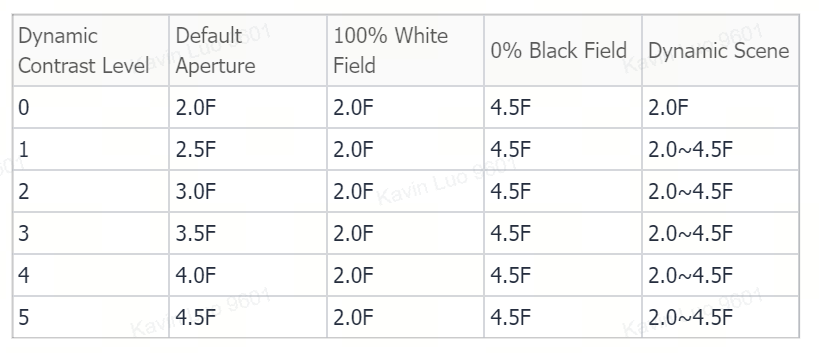
The dynamic contrast function has been expanded from 3 levels to 5 levels, introducing a new real-time backlight and iris control algorithm for better picture depth and transition smoothness.
Improvements:
-
Higher Contrast: Backlight automatically lowers in dark scenes and brightens in light scenes.
-
Deeper Black Levels: Improved iris coordination for cleaner low-light detail.
-
Smoother Transitions: Adaptive step size reduces brightness flicker.
-
Smart Power Saving: Dynamic power management adjusts based on scene content.
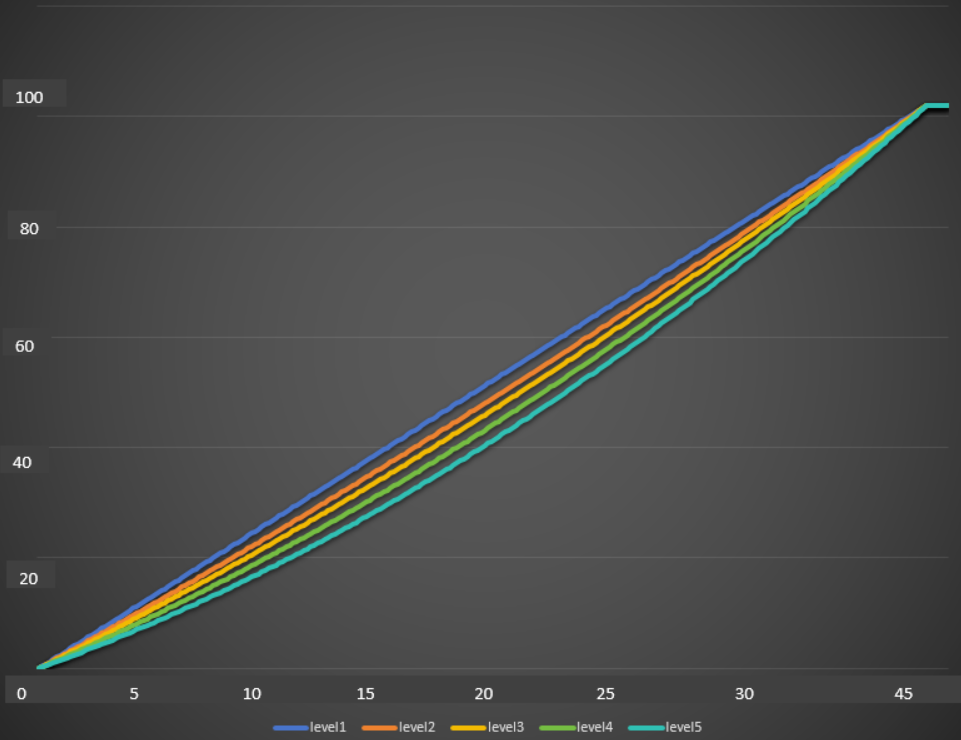
1.1 Backlight Curves for Five Levels
-
X-axis: Image grayscale 0~255 (dynamic backlight activates at grayscale 45)
-
Y-axis: Backlight variation range 0~100
1.2 Level Settings and Aperture Relationship
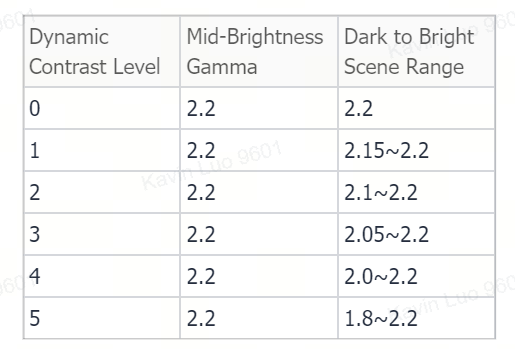
1.3 Gamma Variation
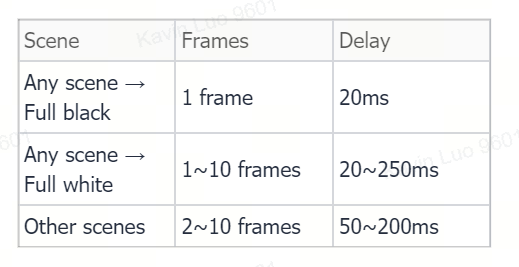
1.4 Dynamic Contrast Response Time
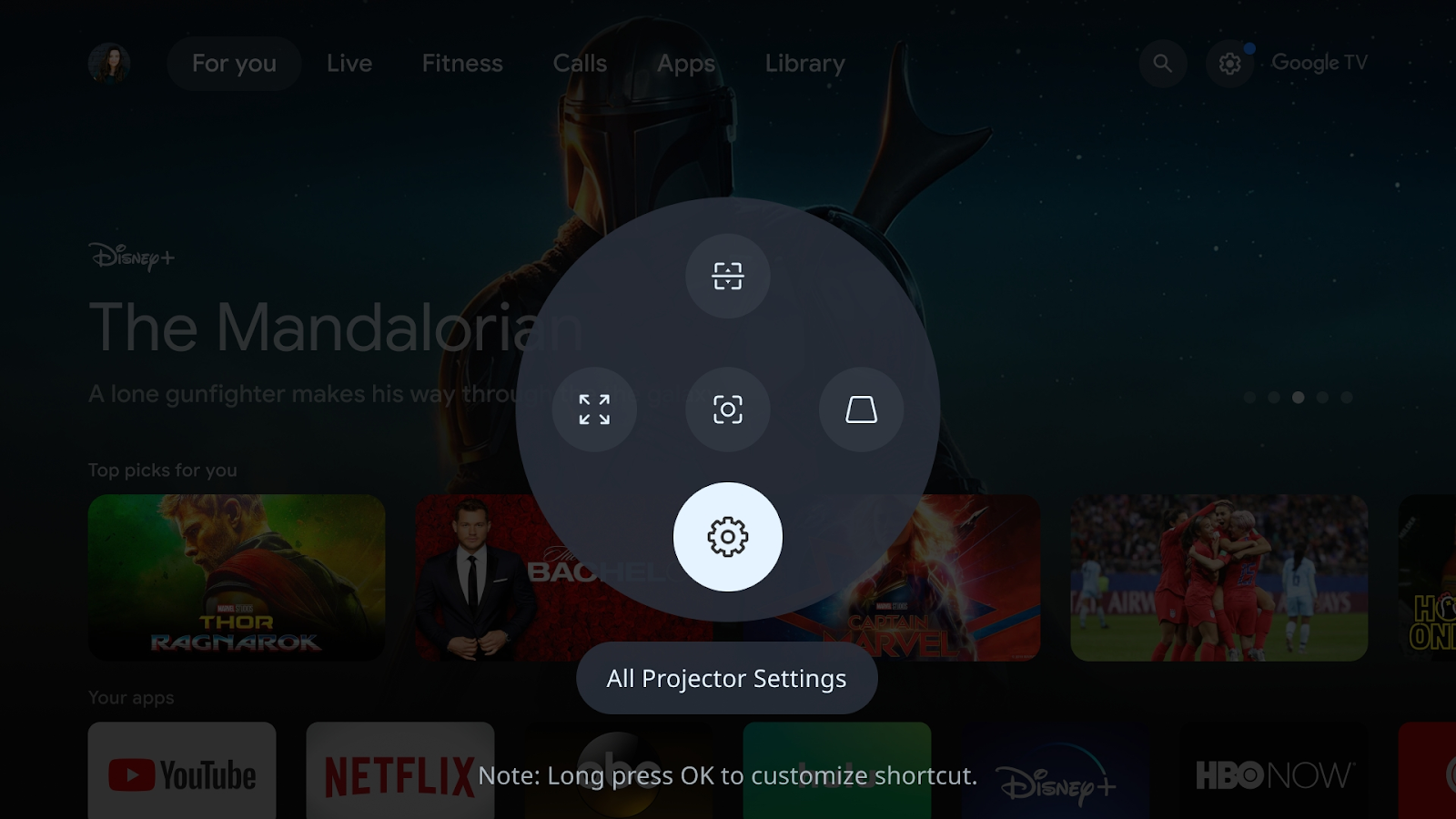
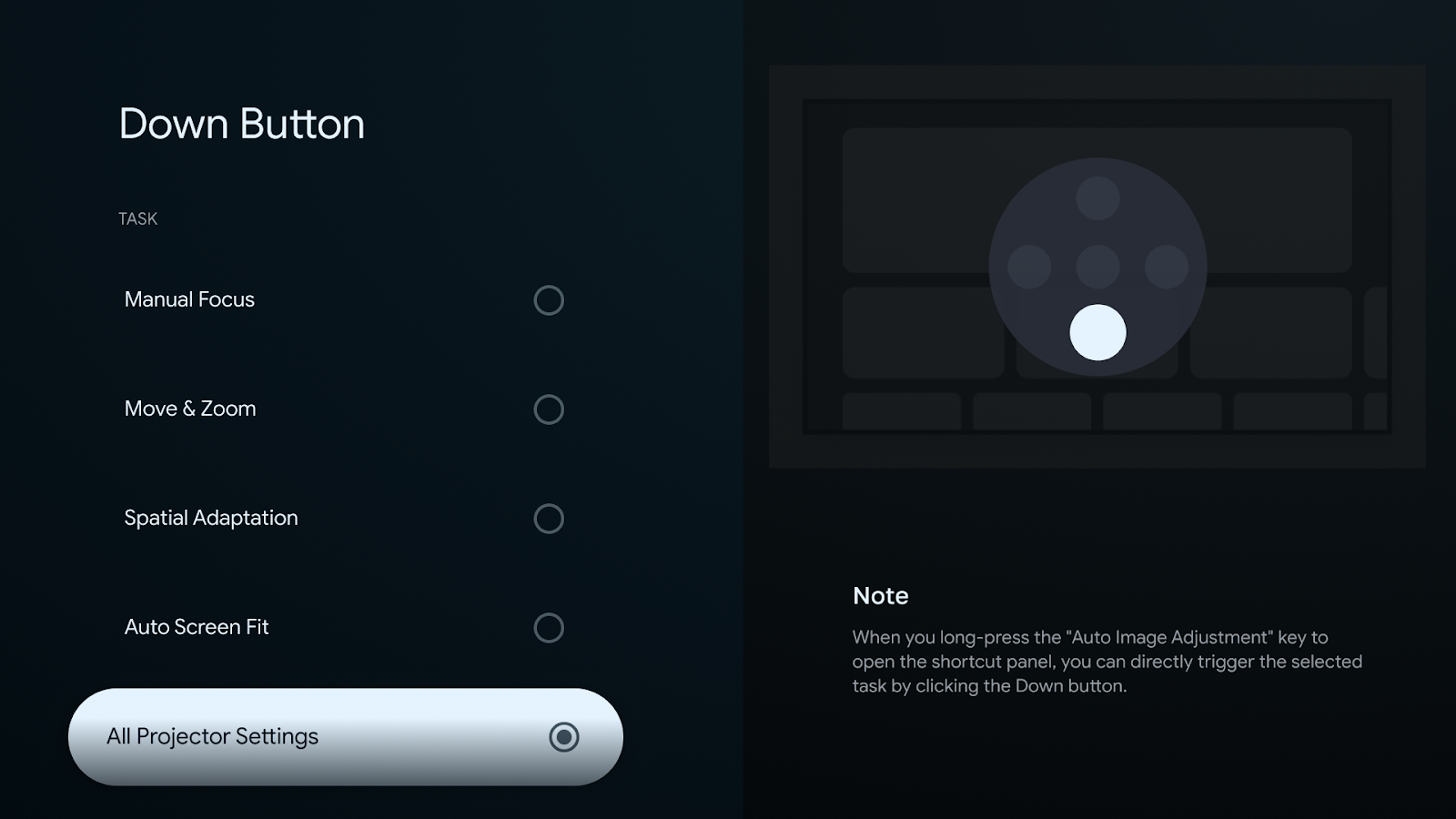
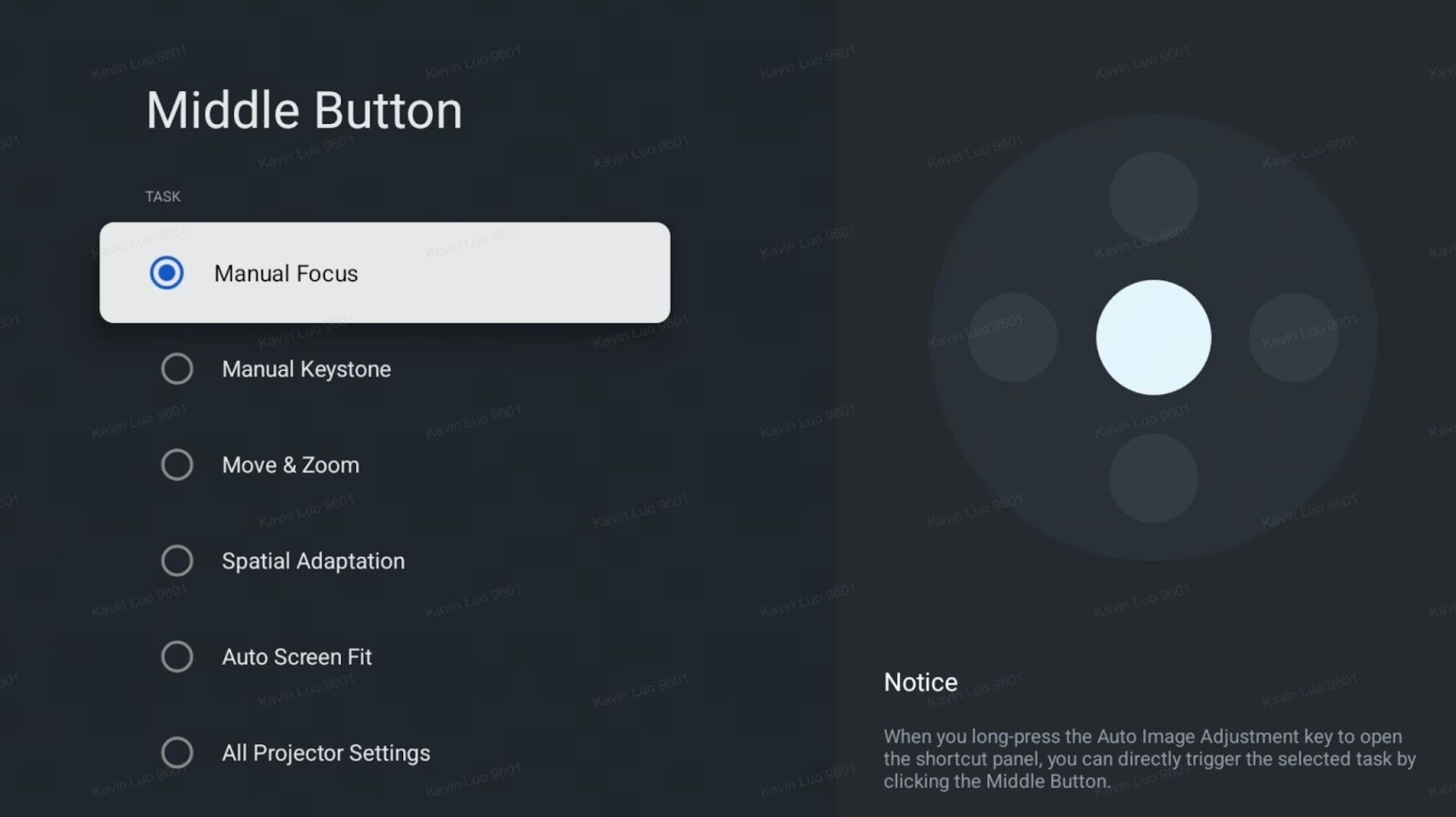
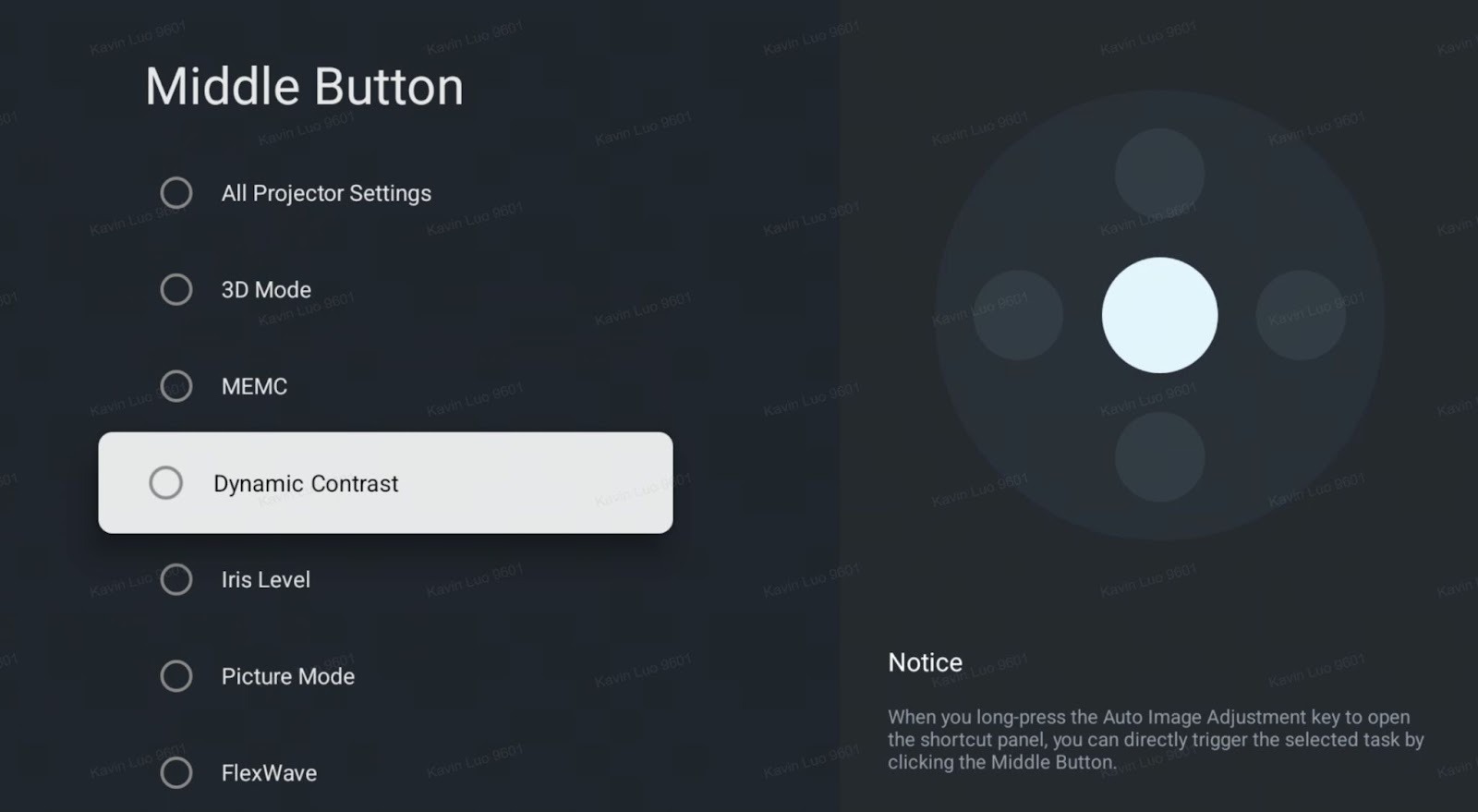
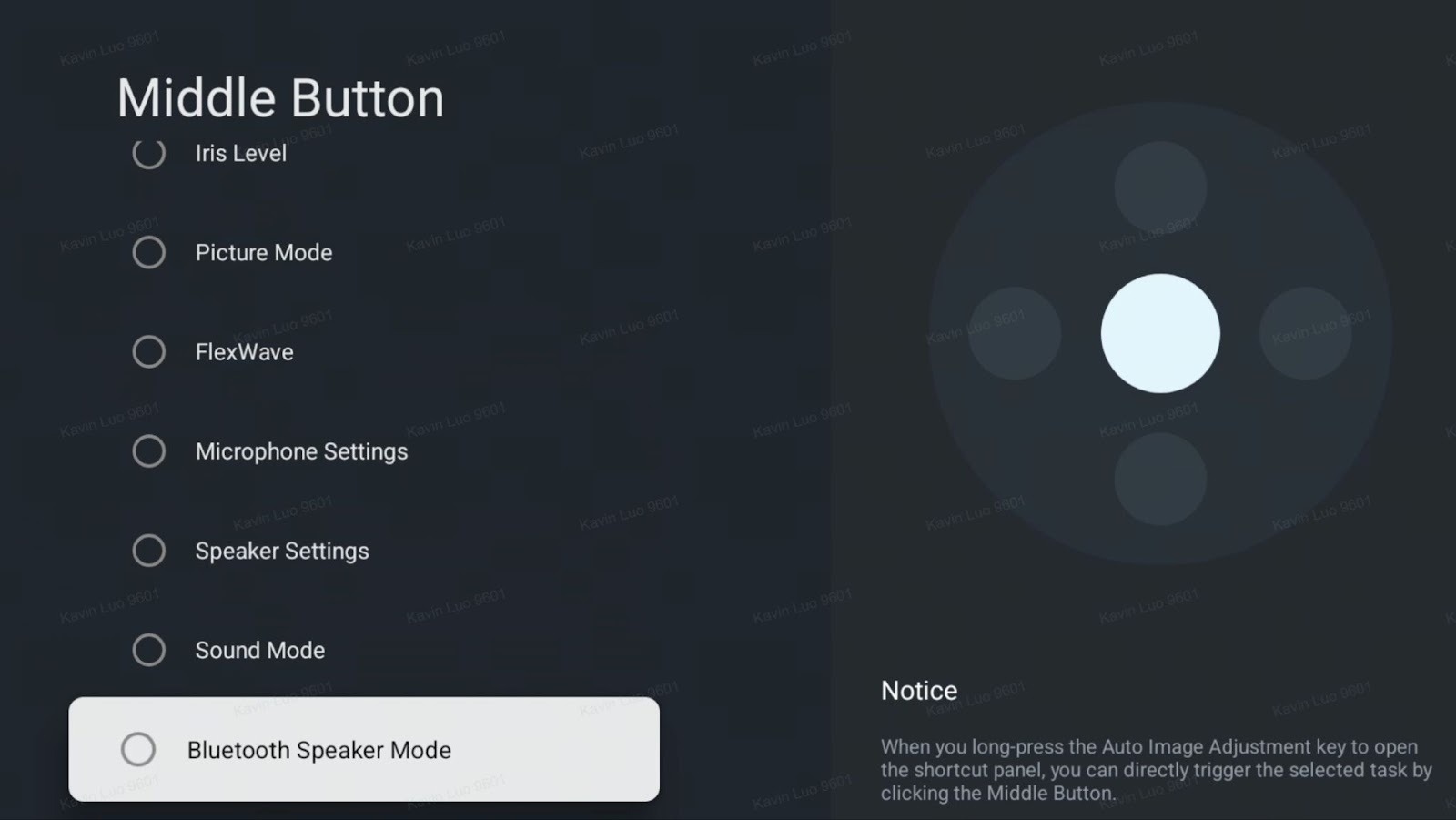
2. Nebula Dashboard Custom Quick Buttons
You can now customize the functions of each quick panel button – create a personalized setup that matches your usage preferences.
Customizable features include: Manual Focus, Manual Keystone, Move & Zoom, Spatial Adaptation, Auto Screen Fit, All Projector Settings, 3D Mode, MEMC, Dynamic Contrast, Iris Level, Picture Mode, FlexWave, Microphone Settings, Speaker Settings, Sound Mode, Bluetooth Speaker Mode.
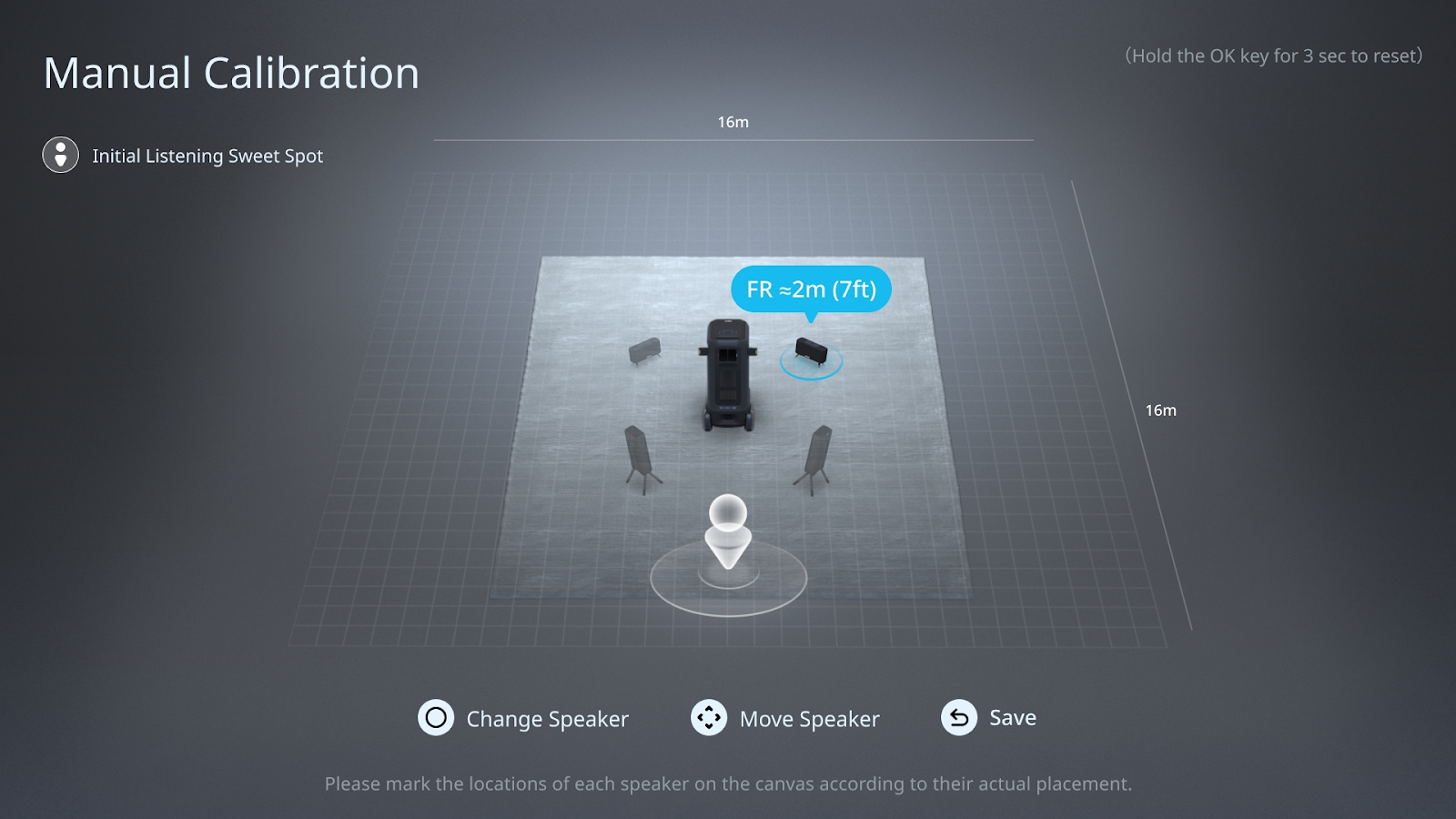
3. Manual Surround Speaker Calibration
Added support for manual position calibration of surround speakers.
Users can adjust speaker locations flexibly according to their room layout, without acoustic auto positioning.
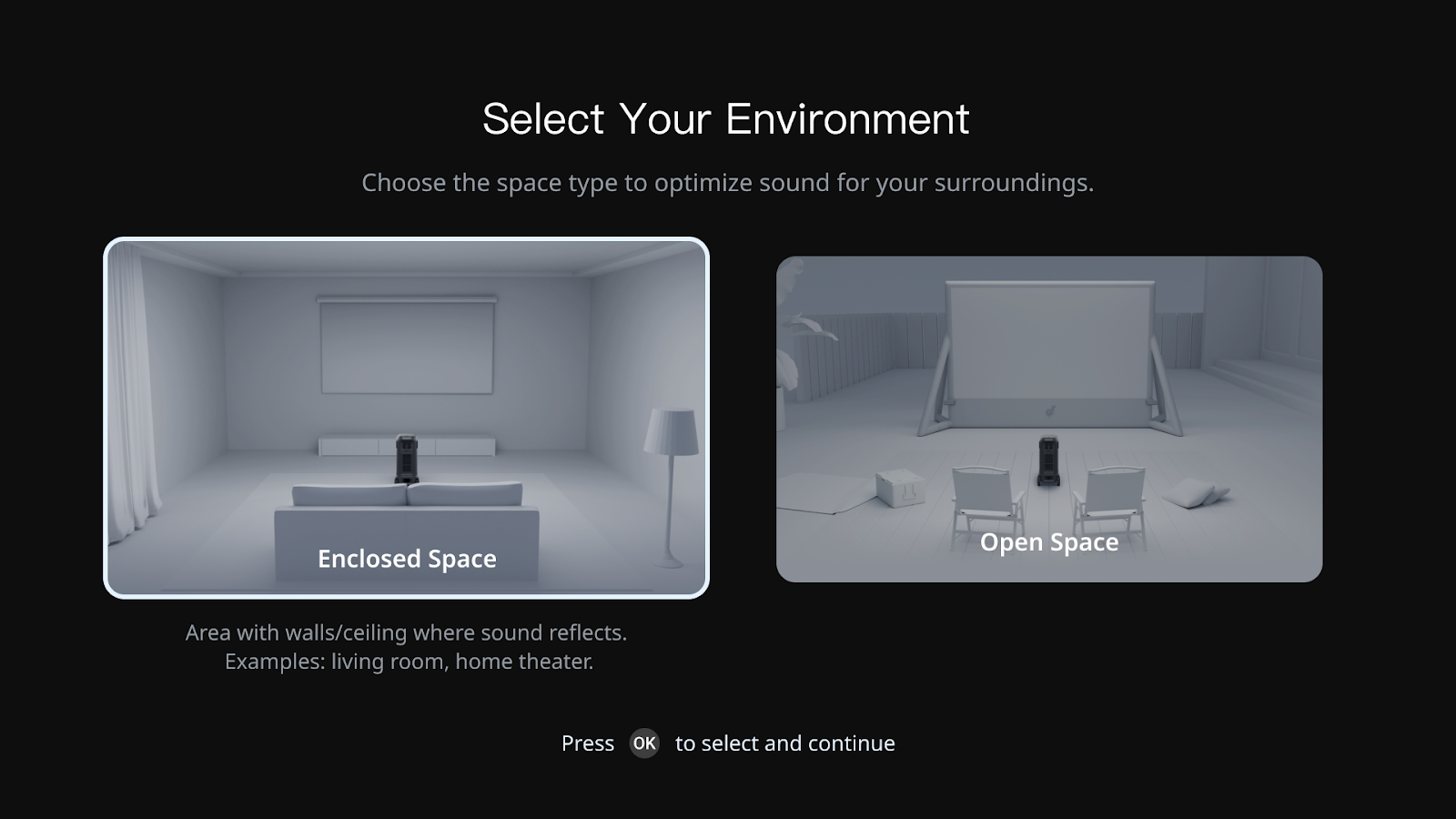
4. FlexWave Scene-Based EQ and Channel Settings
Introduced scene-specific sound modes (Home Theater / Outdoor).
The system automatically optimizes EQ and channel balance to deliver a more immersive, tailored sound experience.
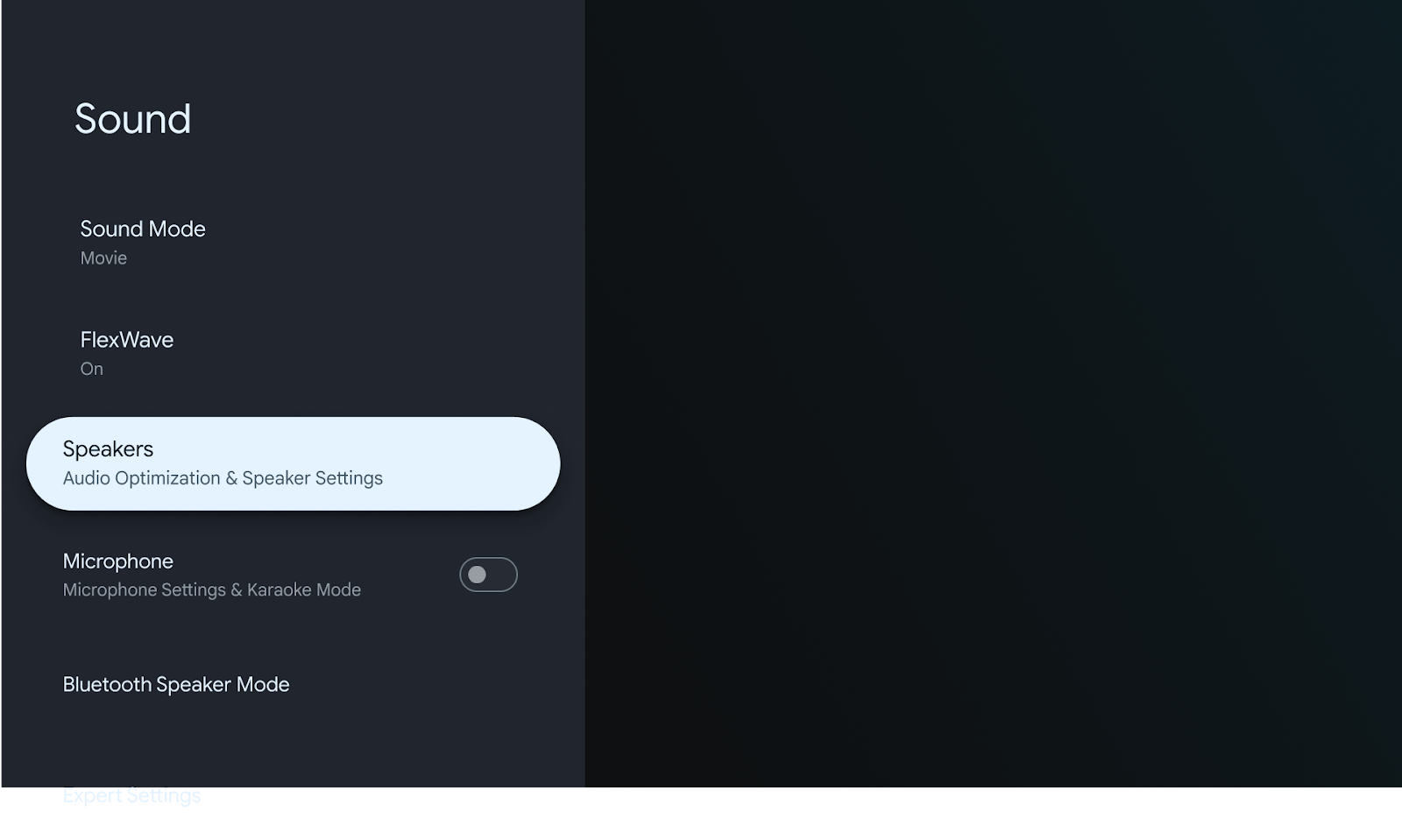
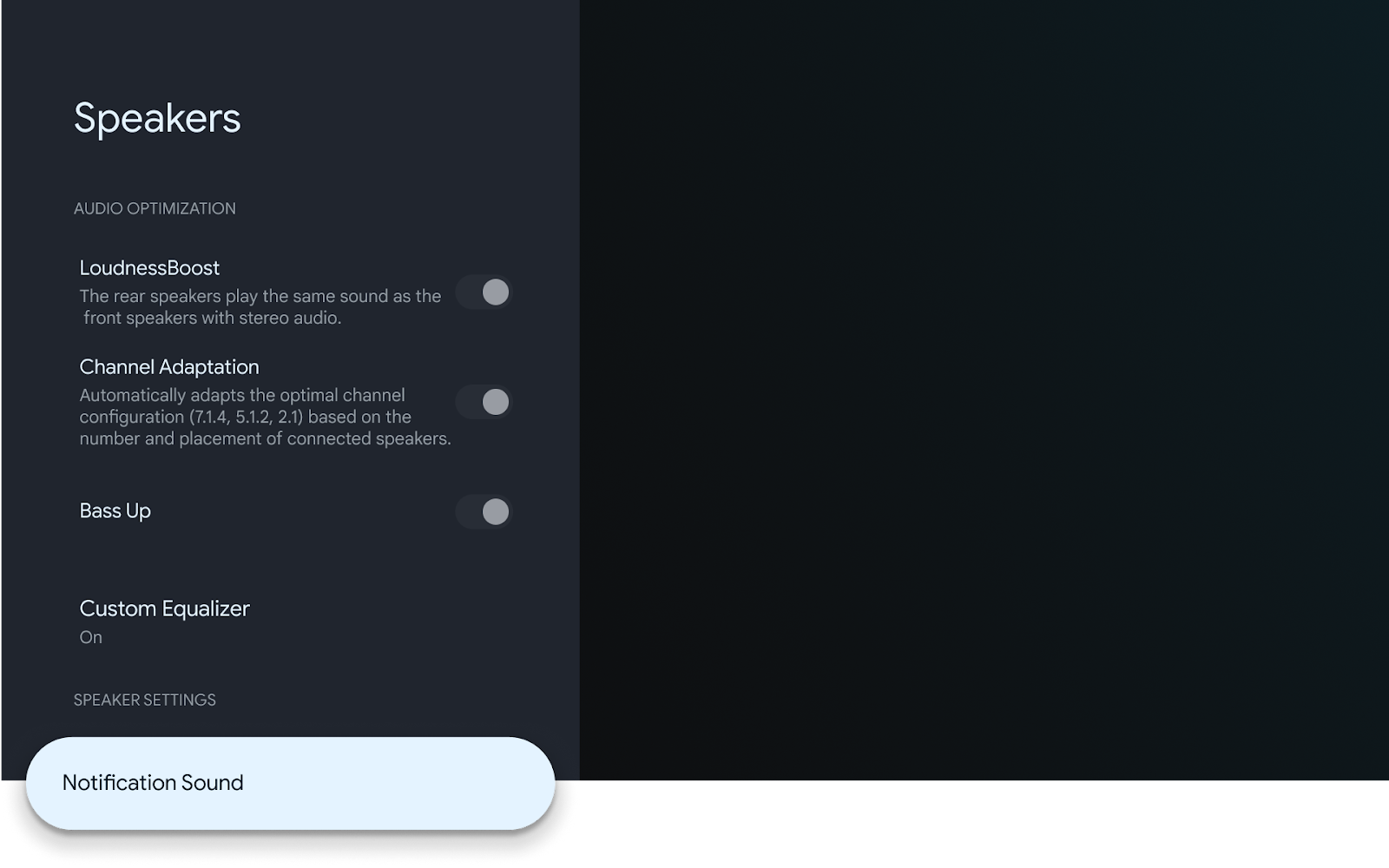
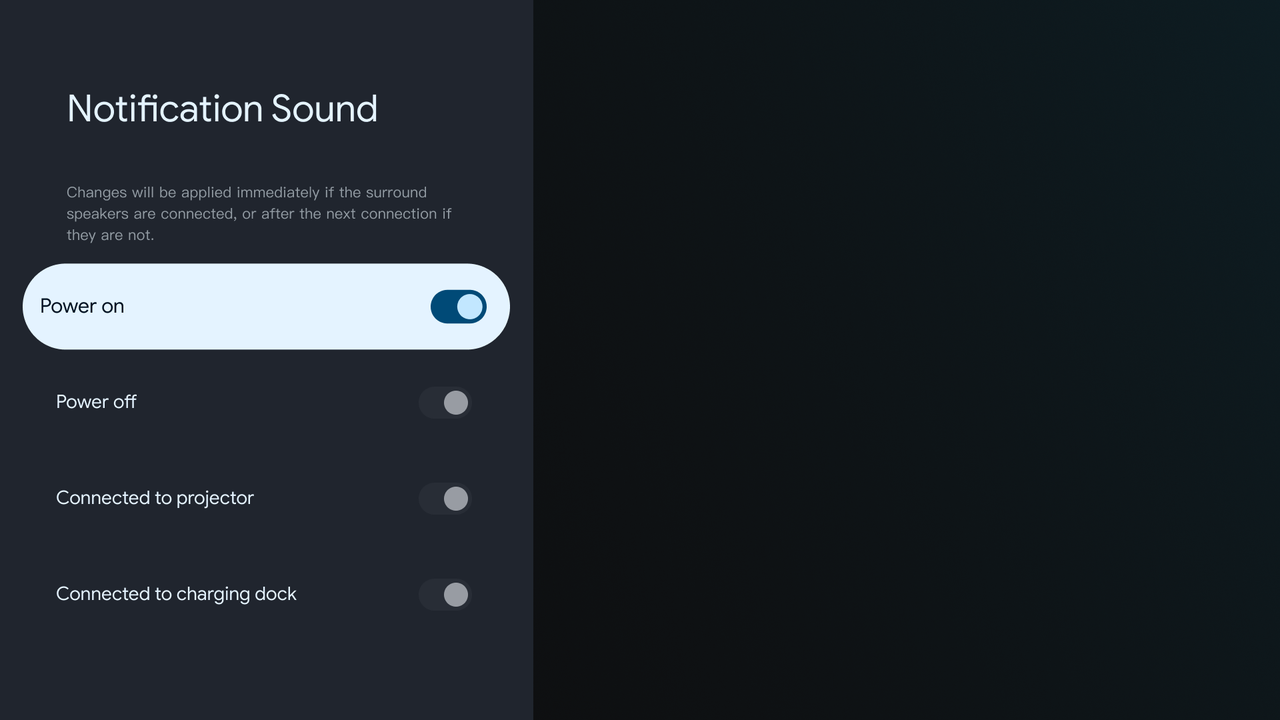
5. Surround Speaker Notification Sound Control
Added an option to disable surround speaker notification sounds for a cleaner and more immersive viewing experience
6. U disk file format extension supports exFAT format
7. Spatial Adaptation adds the function of three-sided curtain entry
8. Firmware Update Reliability Optimization
Improved OTA update process with a 99.54% success rate in testing.
Resolved installation failures experienced on some units.
9. Dolby Vision Black Level Fix
Fixed an issue where adjusting sharpness under Dolby Vision mode caused dark fields to appear brighter (gray blacks).
Now delivers more accurate shadow detail and contrast.
10.System Performance and Responsiveness Enhancements
Improved system smoothness and UI operation speed.
Reduced stuttering and delays during app switching and system navigation.
11. Optimize the problem of speaker noise/pops
12. Optimize the voice enhancement effect
13. Optimize the laggy playback issue of Disney+
14. Optimize Netflix video transitions to reduce jagged edges
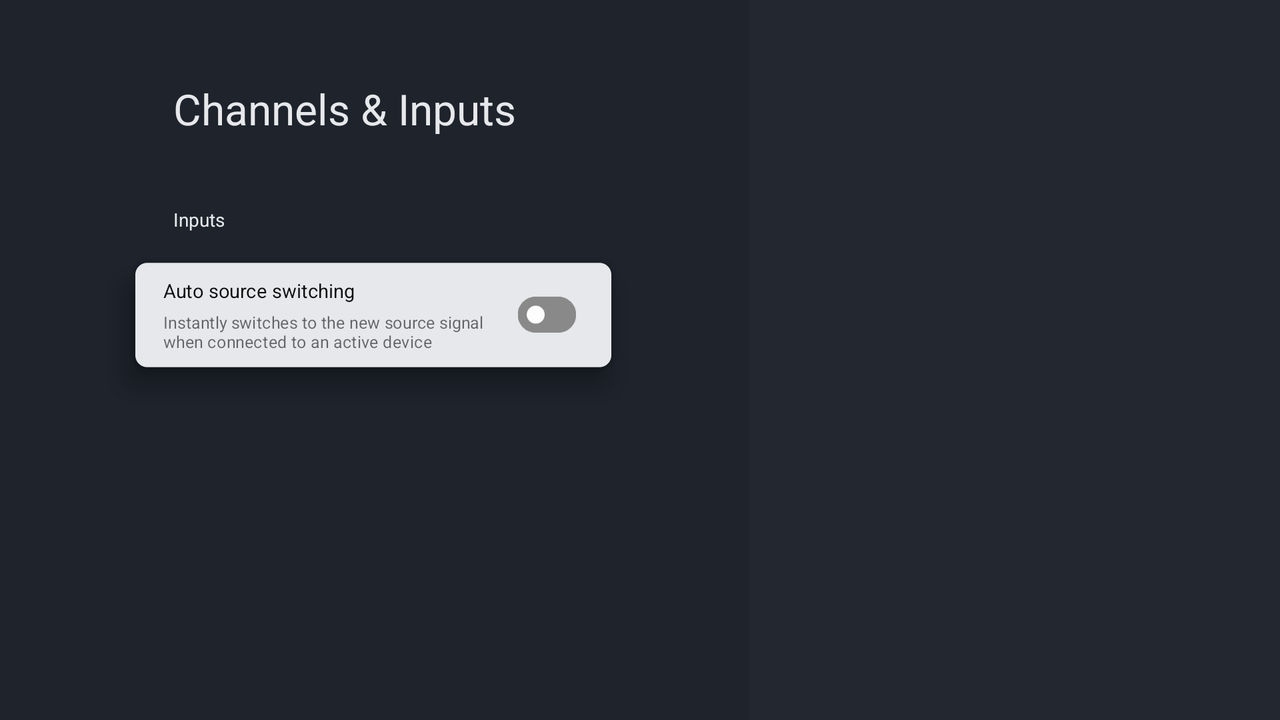
15. Due to Google's restrictions, it no longer supports automatically exiting to GTV when HDMI is unplugged, only supports automatically jumping to HDMI when plugged in, and the corresponding switch (Auto source switching) is factory defaulted to off.
16. Fixed the issue where there was no sound when entering Flexwave while playing Dolby video
17. Fixed the issue where the speaker fails to follow the standby/wake-up state when the projector base is shut down/turned on
18. Resolved an issue where Dolby Vision playback would result in a black screen
19. Improve the issue of stuttering and choppy playback of Disney+ videos
If you have any other questions, please don't hesitate to contact Nebula Customer Support at service@soundcore.com for further assistance.







