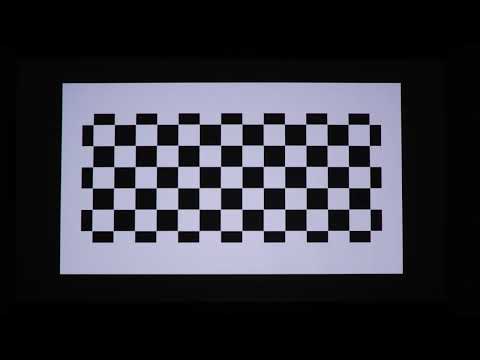
Nebula Capsule II only supports auto vertical keystone correction and doesn't support horizontal keystone correction, so it is unable to automatically or manually adjust the screen horizontally.
When the projector is not centered directly in front of the screen but tilted or angled towards it, the projected image will be distorted in a trapezoidal shape.
If the issue occurs with your Nebula Capsule II, please adjust the position of your Nebula to a proper angle to avoid a crooked display. We would also recommend using our official tripod stand to work with Capsule II, so you could reposition the Capsule II to project a rectangular picture for a better watching experience.
Links to the official tripod stand for Capsule II:
US Amazon: https://www.amazon.com/dp/B077JX7GBL
CA Amazon: https://www.amazon.ca/dp/B077JX7GBL
UK Amazon: https://www.amazon.co.uk/dp/B077JX7GBL
DE Amazon: https://www.amazon.de/dp/B077JX7GBL
FR Amazon: https://www.amazon.fr/dp/B077JX7GBL
ES Amazon: https://www.amazon.es/dp/B077JX7GBL
IT Amazon: https://www.amazon.it/dp/B077JX7GBL
JP Amazon: https://www.amazon.co.jp/dp/B07DW3S17Y
If you have additional questions, please contact us for further assistance.