How to find the SN of the X1 Pro and its accessories?

Thank you for supporting our product. 


You can find the X1 Pro serial number (SN) in the following three locations:

1.Inside the microphone storage compartment
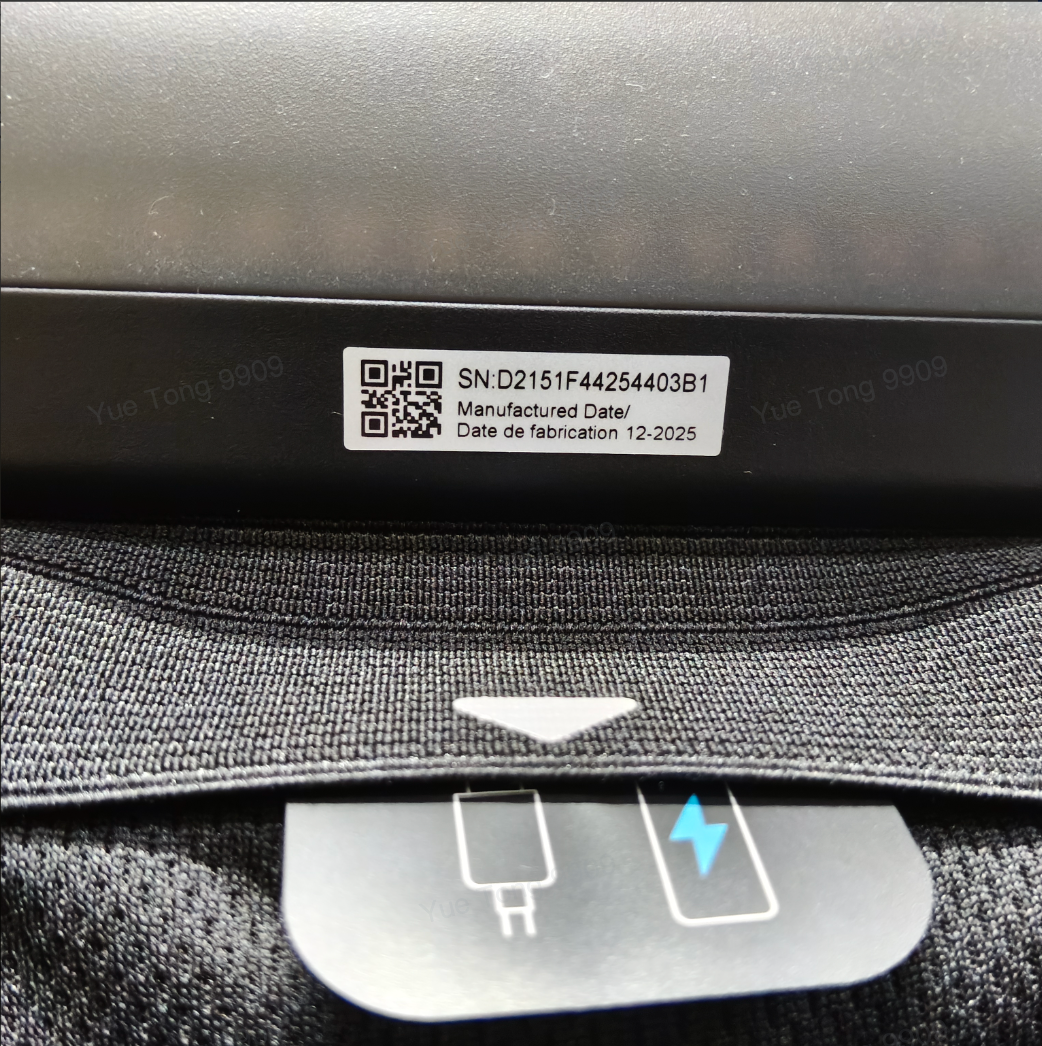
2.On the top-left corner of the box lid when unboxing the device

3.From the system interface

Go to All Settings → System → About → Status → Serial number


Microphone SN Location

1.The microphone SN is at the bottom of the microphone.

2.You can also check it in the system:

All Settings → Remote & Accessories → select any speaker or microphone to enter the detail page, then view Accessory SN.


Speaker SN Location

1.The speaker SN is inside the port cover.

2.You can also check it in the system:

All Settings → Remote & Accessories → select any speaker or microphone to enter the detail page, then view Accessory SN.


If the above solutions cannot solve your issue, please contact Nebula Customer Support at service@soundcore.com  for further assistance.

How to find the SN of the X1 Pro and its accessories?
112 undefined
A3961 QSG V2(1)
Liberty 4_A3953_QSG
Q20i_QSG
EU Declaration of Conformity for soundcore A3i_A3992
UK&CA Declaration of Conformity for soundcore Liberty 4_A3953
EU&UK Declaration of Conformity for soundcore Sleep A10_A6610
View More
How to use Liberty 4 Wellness features
How to Connect to the Soundcore App and Update Firmware for Sport X10
How to Wear Liberty 4 and Change Eartips
How to solve a connection issue on Sleep A10
How to Use Features On the Soundcore App for Sport X10
How to Pair and Reset Sport X10
View More





