How to Troubleshoot Autofocus Frequently Issues with Capsule 3 Laser/Mars 3?

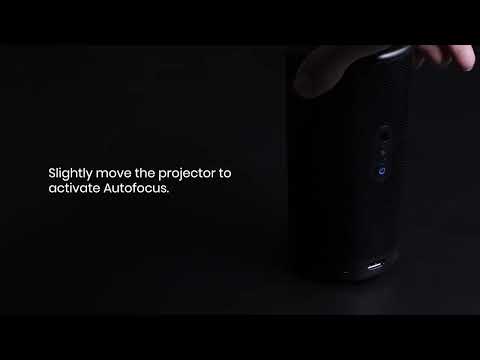
If you are experiencing Autofocus frequently issues with your Capsule 3 Laser/Mars 3 projector, try the following troubleshooting steps:


1. Please ensure that there are no obstructions in front of the projector.

2. Place the projector on a flat and stable surface, such as a table or stand.

3. Go to Settings > Projector Settings > Advanced Settings > Motion Settings, and adjust the trigger threshold to low.

4. If you experience issues while playing videos, try lowering the volume.

5. Disable the motion trigger switch in the settings.

For motion trigger in keystone correction:

Settings > Projector Settings > Image Correction > Auto Keystone Correction After Movement

For motion trigger in auto focus:

Settings > Projector Settings > Focus Settings > Auto Focus After Movement

6. If the projector is hot, turn it off and allow it to cool down before using it again.


If the issue persists, please contact us. Be sure to include a short video showing the surroundings when projecting the image and mention that you have already tried the listed steps to avoid being asked to repeat them by our team.


How to Troubleshoot Autofocus Frequently Issues with Capsule 3 Laser/Mars 3?
83 undefined
How to Fix HDMI No Signal or Unstable Signal Issue
2384 views/1 likes/2025-04-08 17:27:07
How to Pair a Remote Control With Your Nebula Projector
2034 views/1 likes/2025-04-07 18:23:25
How to Locate the Serial Number on Nebula Products?
1166 views/1 likes/2025-04-07 16:32:02
About Nebula Connect App
2175 views/1 likes/2025-04-08 17:27:06
Payments & Vouchers FAQ
3682 views/1 likes/2024-11-27 10:08:25
A3961 QSG V2(1)
Liberty 4_A3953_QSG
Q20i_QSG
EU Declaration of Conformity for soundcore A3i_A3992
UK&CA Declaration of Conformity for soundcore Liberty 4_A3953
EU&UK Declaration of Conformity for soundcore Sleep A10_A6610
View More
How to use Liberty 4 Wellness features
How to Connect to the Soundcore App and Update Firmware for Sport X10
How to Wear Liberty 4 and Change Eartips
How to solve a connection issue on Sleep A10
How to Use Features On the Soundcore App for Sport X10
How to Pair and Reset Sport X10
View More