How Do I Fix a Blurry Image on Capsule 3 Laser?
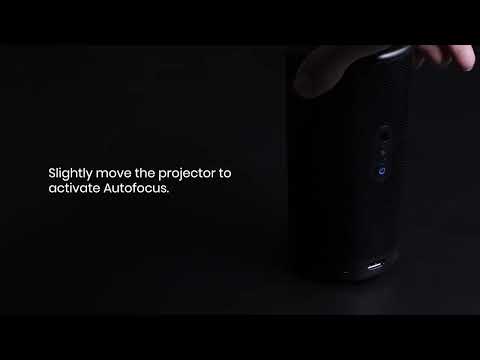
First, use the autofocus feature to keep the image as sharp as possible without any manual adjustment.
  1. Activate Autofocus by going to Settings > Projector Settings > Focus Settings > Auto Focus At Startup / Auto Focus After Movement.
  1. Slightly move the device or press the focus button on the remote to trigger autofocus and auto keystone correction.

If that doesn't work, try the following:
  1. Adjust the projection angle and direction, as well as the height of the projector.
  1. Go to Settings > Projector Settings > Focus Settings and press Manual Focus Correction to adjust the focus.
  1. Update your Nebula to the latest firmware version by going to Settings > Device Preferences > About > System Update > Check for update.
  1. Restart your projector by going to Settings > Device Preferences > Restart.
If you still have a blurry image, contact us and include a short video showing what happens when you adjust the focus. When you email us, mention that you tried the recommended steps. This will help us find a solution for you much faster.
How Do I Fix a Blurry Image on Capsule 3 Laser?
76 undefined
How to Fix HDMI No Signal or Unstable Signal Issue
2384 views/1 likes/2025-04-08 17:27:07
How to Pair a Remote Control With Your Nebula Projector
2034 views/1 likes/2025-04-07 18:23:25
About Nebula Connect App
2175 views/1 likes/2025-04-08 17:27:06
Payments & Vouchers FAQ
3682 views/1 likes/2024-11-27 10:08:25
How to Adjust the Image Size from Nebula Capsule 3 Laser
3252 views/2 likes/2024-08-13 16:59:42
A3961 QSG V2(1)
Liberty 4_A3953_QSG
Q20i_QSG
EU Declaration of Conformity for soundcore A3i_A3992
UK&CA Declaration of Conformity for soundcore Liberty 4_A3953
EU&UK Declaration of Conformity for soundcore Sleep A10_A6610
View More
How to use Liberty 4 Wellness features
How to Connect to the Soundcore App and Update Firmware for Sport X10
How to Wear Liberty 4 and Change Eartips
How to solve a connection issue on Sleep A10
How to Use Features On the Soundcore App for Sport X10
How to Pair and Reset Sport X10
View More