Thank you for supporting our product.
Q: How do I earn Sparks credits?
A:There are a few ways to stock up on Sparks:
1. Device Binding Reward: Earn initial points upon first binding of your SpaceFlow (D2090). This reward is already included in the exclusive benefit package (worth over $200 USD) for crowdfunding users, so no further claiming is needed.
2. Daily Tasks: Earn points by completing designated tasks (feature in the planning stages).
3. In-App Purchases: Earn points through in-app purchases.
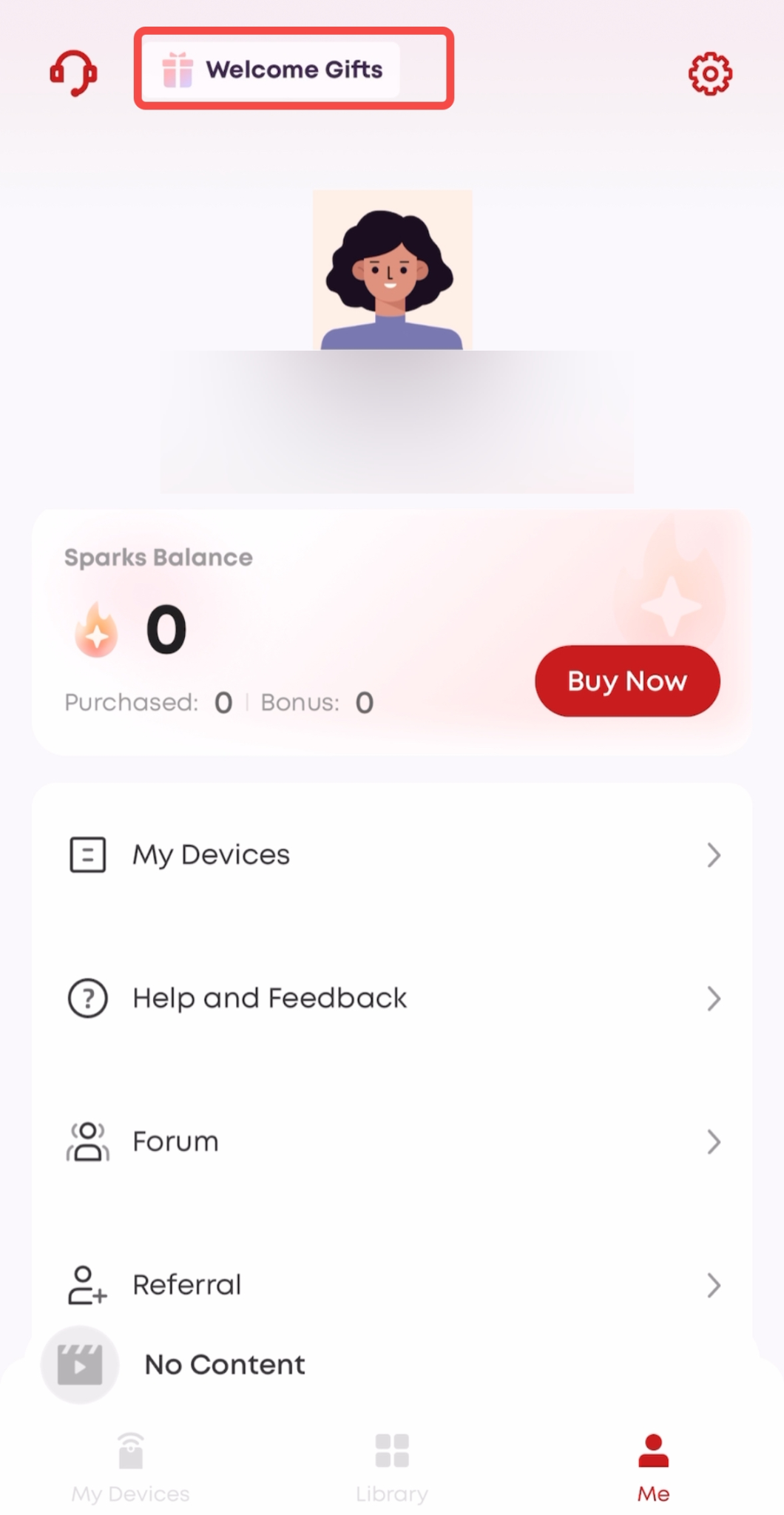
4. Exclusive Crowdfunding User Benefits: We have gifted all crowdfunding users an exclusive Sparks benefit package worth over $200 USD! How to Claim: You need to manually claim the gifted Sparks. A claim window will pop up in the app when you successfully bind your new device; if you do not claim it at that time, you can claim it later in the app under "My -> Welcome Gifts (top left corner)".
5. Creative Activities and Competitions — We will hold creative challenges and community events from time to time. Participation will give you the chance to win extra Sparks rewards. Please pay attention to official announcements for the latest event information
If you have any other questions, please don't hesitate to contact Nebula Customer Support at service@soundcore.com for further assistance.