1. How do I adjust the brightness of Capsule Air?
Settings > Display & Sound > Picture > Brightness
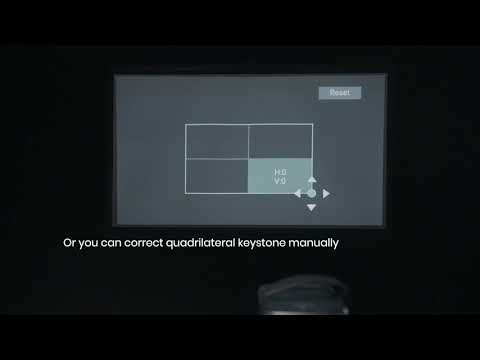
2. How do I use manual keystone correction and zoom cuntion?
(1) Go to Settings > Projector > Image Correction > Perform Manual Keystone Correction to perform manual four-corner keystone correction.
(2) Go to Settings > Projector > Image Correction > Zoom to adjust the zoom level.
3. How do I find the Capsule Air serial number?
Go to Settings > System > About > Status > Serial Number.
4. How do I find Capule Air's MAC address?
Go to Settings > System > About > Status > Device MAC Address.
5. How do I factory reset Capusle Air?
Go to Settings > System >About >Reset > Factory Reset.
6. How do I restart Capsule Air?
Go to Settings > System > Restart.
7. How do I update the system?
Go to Settings > System > About > System Update.
8. How do I keep the screen turned off when I play music?
Go to Settings > System > Power & Energy > Power > Picture Off.
9. How to Use Bluetooth Speaker Mode
Entering Bluetooth Speaker Mode via the Menu:
(1) Go to Settings > Display & Sound > Sound and turn on Bluetooth Speaker Mode.
(2) Turn on your phone and go to Bluetooth settings, then connect to Capsule Air.
10. How Do I Pair Bluetooth Devices with nebula google TV projector?
Go to Settings > Remotes & Accessories.
11. How DO I Update Firmware?
To update the system version, navigate to Settings/System/About/System update.
12. How do I turn off alerts?
Go to Settings > Projector > Advanced Settings > Smart Solutions > Disable Projection Angle Alert/Fine Tuning Alert/Nebula Smart Popup.
If you still have any questions, please contact Support@seenebula.com for further assistance.